
Version-Controlled macOS System Settings
Houston is a native macOS app for managing hidden preferences through visual profiles you can save as files and commit to your dotfiles.
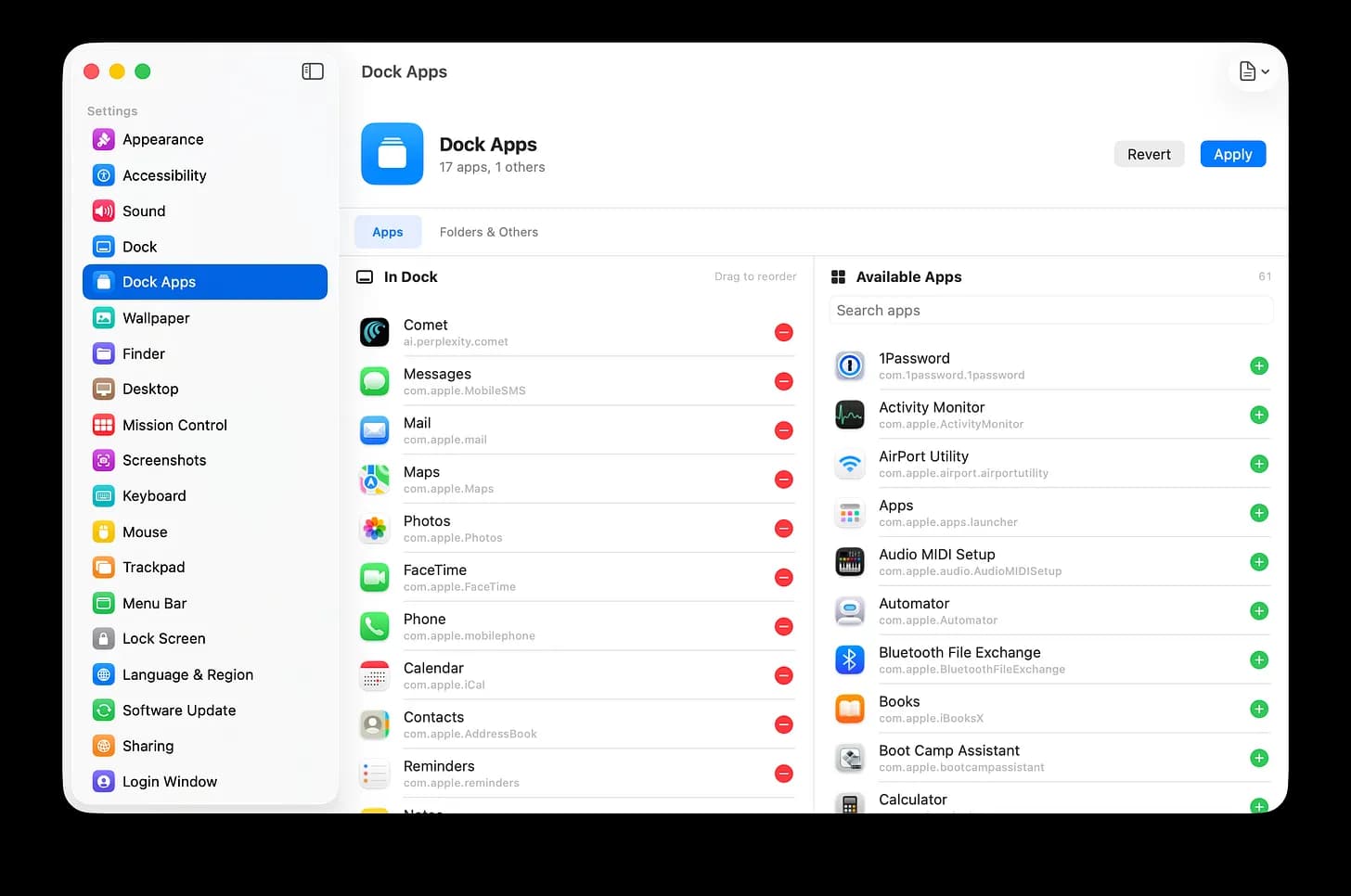
Today I shipped Houston, a native macOS app for managing 120+ hidden settings through searchable, visual profiles.

The problem
A lot of the macOS settings I care about aren’t in System Settings. Dock auto-hide delay, screenshot save location and format, Finder path bar, press-and-hold accent characters — they’re buried in defaults write commands, scripts, and online documentation such as macos-defaults.com.
What Houston does
Houston gives you toggles for those settings in one SwiftUI app. You can save your Mac’s configuration as a profile, commit it to your dotfiles repo, and apply it to a new Mac in one click.
Features
-
120+ macOS settings: preferences Apple buried — Dock, Finder, Desktop, Safari, Accessibility, Trackpad, Keyboard, screenshots, and more — exposed as toggles instead of defaults write commands.
-
Save your setup as a profile: capture every tweak in a single file. Apply it to a new Mac, a coworker’s Mac, or your own after a clean install — and get the exact same configuration back in one click.
-
Reproducible across machines: profiles are plain files. Commit them next to your dotfiles, share them with your team, and treat your Mac config like code.
-
No Terminal, no System Settings spelunking: every toggle is searchable and grouped. What used to take an afternoon of Googling now takes a minute.
-
Per-display wallpaper management: set different wallpapers for each connected display.
-
Menu bar quick-access: toggle your favorite tweaks without opening the app.
-
Lightweight native SwiftUI: no background daemons or agents.
-
macOS Tahoe and later: built for the latest system APIs.
Pricing
One-time $4.99. No subscription. You can apply 5 tweaks for free before being required to enter a license key.
Try Houston Today
Requires macOS 26 Tahoe and Apple Silicon.
🚀 If you commit a Houston profile to your dotfiles, send it my way — I’d love to see how people configure their Macs!

Written by
Shawn Schwartz, PhD
Dr. Shawn Schwartz is a Senior Product Data Scientist at Slack. He completed his PhD in Psychology at Stanford, studying how attention shapes memory, and has been writing software for 15+ years. He writes about scientific computing and bringing research instincts into product work. Subscribe to Sustained Attention.
Subscribe to my newsletter
Get notified when I publish new articles. No spam, unsubscribe anytime.